If you’re wondering how do I drop a pin on Google Maps in 2026, you’re not alone. Dropping a pin is still one of the easiest ways to mark an exact location especially when an address isn’t available or you need to share a precise spot.
Google Maps has refined its interface over the years, but the pin-dropping feature remains simple, accurate, and extremely useful. This updated guide walks you through how to drop a pin on Google Maps in 2026 on mobile and desktop devices.
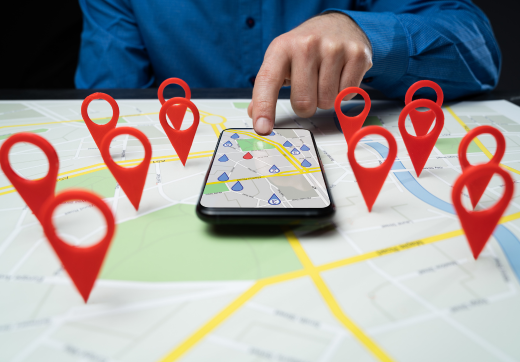
What Does Dropping a Pin on Google Maps Mean in 2026?
In 2026, dropping a pin on Google Maps means manually selecting an exact GPS location on the map. This feature is commonly used for:
- Marking places without a listed address
- Sharing precise locations instantly
- Saving travel spots or meeting points
- Navigation for deliveries or rides
A dropped pin provides real-time coordinates, directions, and sharing options.
Why Dropping a Pin Is Useful in 2026?
In 2026, Google Maps is smarter than ever, but dropping a pin is still essential for precision. It helps you:
Avoid confusion in crowded areas
Navigate to remote or less-known places
Share accurate locations instead of vague directions
Save favorite spots across devices
How to Drop a Pin on Google Maps on Android (2026)?
Follow these simple steps on any Android device:
- Open the Google Maps app on your phone
- Search for a location or manually move the map
- Zoom in for better accuracy
- Tap and hold on the exact spot you want to mark
- A red pin will appear on the map
- A location panel will show options to:
- Save the pin
- Share the location
- Get directions
Pro Tip
Always zoom in before dropping a pin to ensure accuracy, especially in busy areas.
How to Drop a Pin on Google Maps on iPhone (2026)?
Dropping a pin on an iPhone works almost the same way:
- Open Google Maps on your iPhone
- Search for a place or drag the map manually
- Press and hold on the location
- A red pin will appear with a location card at the bottom
- You can now:
- Save it to your favorites
- Share it via apps like WhatsApp or iMessage
- Start navigation
iPhone Tip
If the pin doesn’t appear instantly, hold your finger steady for a second longer.
How to Drop a Pin on Google Maps on Desktop (2026)?
Using Google Maps on a computer is just as easy:
- Open Google Maps in your web browser
- Search for a place or move the map manually
- Left-click on the exact location
- A small marker will appear with location details
- Use the options to:
- Save the location
- Share the link
- Get directions
Desktop Tip
Sign in to your Google account to save and sync pins across devices.
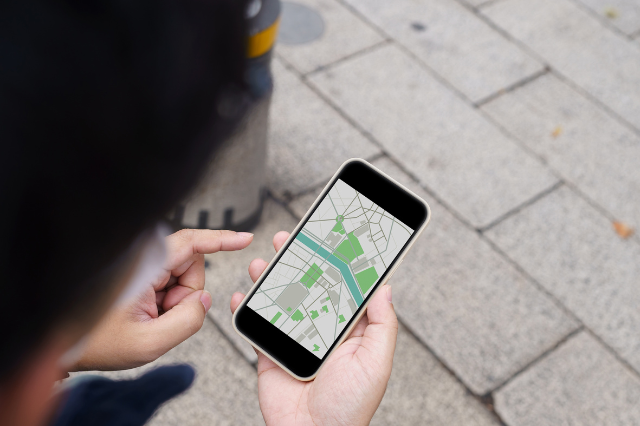
How to Remove a Dropped Pin?
If you no longer need a pin, removing it is simple:
On Android & iPhone
- Tap the X in the location panel
- Or tap anywhere else on the map
On Desktop
Or close the location info box
Click another area on the map
How to Save a Dropped Pin for Later?
After dropping a pin:
- Tap Save
- Choose a list like:
- Favorites
- Want to go
- Starred places
- Access saved pins anytime from your Google account
Saved pins automatically sync across Android, iPhone, and Desktop.
How to Share a Dropped Pin?
Sharing a pin ensures the other person gets the exact location, not just an approximate address.
- Drop a pin
- Tap Share
- Choose an app or copy the link
- Send it to anyone instantly
This is ideal for meetups, deliveries, or travel coordination.
Common Problems When Dropping a Pin (And Fixes)?
Pin not dropping?
- Make sure you’re pressing and holding (not tapping)
- Zoom in closer
Wrong location marked?
- Remove the pin and drop it again with better zoom
Pin not saving?
- Ensure you’re logged into your Google account
When your google my business optimization is set up the right way, customers can find you faster, trust you more, and contact you without confusion.
How to Delete a Dropped Pin on Google Maps (2026)?
Deleting a dropped pin on Google Maps is quick and works slightly differently depending on whether you’re using Android, iPhone, or Desktop. Follow the steps below based on your device.
How to Delete a Dropped Pin on Google Maps on Android?
- Open the Google Maps app on your Android device
- Locate the dropped pin on the map
- Tap the location information bar at the bottom
- Tap the X (Close) icon
- The pin will be removed immediately
Quick method:
- Simply tap anywhere else on the map to clear the dropped pin
How to Delete a Dropped Pin on Google Maps on iPhone?
- Open Google Maps on your iPhone
- Find the dropped pin you want to delete
- Tap the location card at the bottom of the screen
- Tap the X or swipe the card down
- The pin will disappear from the map
Alternate method:
- Tap another area on the map to remove the pin instantly
How to Delete a Dropped Pin on Google Maps on Desktop?
- Open Google Maps in your web browser
- Locate the dropped pin
- Click the X in the location info box
- Or click anywhere else on the map
The pin will be removed immediately.
How to Delete a Saved Pin (Important Difference)?
A dropped pin disappears when cleared, but a saved pin stays until you remove it manually.
To delete a saved pin:
- Open Google Maps
- Go to Saved
- Open the list where the pin is stored
- Tap or click Remove or Unsave
How Webnizers Helps Improve Your Local Business Visibility?
Local customers search online before they visit or contact a business. If your business doesn’t appear in local search results, you’re losing potential leads every day. Webnizers helps local businesses increase visibility, attract nearby customers, and grow consistently through proven local SEO strategies.
1. Google Business Profile Optimization
Webnizers fully optimizes your Google Business Profile to improve visibility in Google Maps and local search results. This includes accurate business details, keyword-rich descriptions, service categories, images, and regular updates that help your business rank higher locally.
2. Local Keyword Targeting
We research and target high-intent local keywords that your customers are actually searching for. This ensures your business appears when users search for services in your city or nearby areas.
3. Location-Based SEO Content
Webnizers creates optimized local content that builds relevance and trust. From service pages to local blogs, we help search engines clearly understand where you operate and who you serve.
4. NAP Consistency & Local Citations
We ensure your Name, Address, and Phone number (NAP) are consistent across online directories. Accurate listings improve credibility and help search engines trust your business, leading to better rankings.
5. Reviews & Reputation Management
Positive reviews play a major role in local rankings. Webnizers helps you generate, manage, and respond to customer reviews, improving trust and increasing click-through rates from local searches.
6. Mobile & Local Search Optimization
Most local searches happen on mobile devices. We optimize your website for fast loading, mobile responsiveness, and local intent, ensuring a smooth user experience for nearby customers.
7. Data-Driven Local SEO Strategy
Webnizers tracks performance, local rankings, traffic, and conversions. We continuously refine strategies based on real data to ensure long-term local growth, not short-term results.
Results You Can Expect with Webnizers
- Higher visibility in Google Maps
- More local leads and phone calls
- Increased foot traffic and inquiries
- Stronger brand trust in your area
- Consistent growth in local search rankings
Why Choose Webnizers for Local SEO?
Webnizers SEO combines experience, strategy, and transparency to help local businesses stand out in competitive markets. We focus on real results that drive customers not just rankings.
Final Thoughts
Dropping a pin on Google Maps in 2026 is a simple yet powerful feature that helps you navigate, save, and share locations with precision. Whether you’re using Android, iPhone, or Desktop, the process takes just a few seconds and can save you a lot of confusion later.
Now that you know exactly how to drop a pin on Google Maps, you can confidently mark any place anytime, anywhere. 📍
FAQs
Can I drop more than one pin at a time in 2026?
You can drop one temporary pin, but you can save multiple pinned locations in lists.
Is dropping a pin accurate in 2026?
Yes. Google Maps uses improved GPS and satellite data for high accuracy.
Can I label a dropped pin?
Temporary pins can’t be renamed, but saved locations allow notes and labels.
Does dropping a pin work offline?
You can view saved offline maps, but pin-dropping works best with internet access.
Is dropping a pin free?
Yes, it’s completely free on all devices.